
Download DrawnStrips Reader – Fast, Free Comic Viewer for macOS
Overview
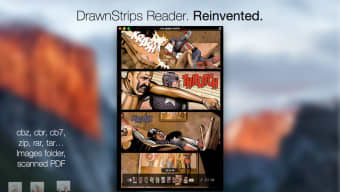
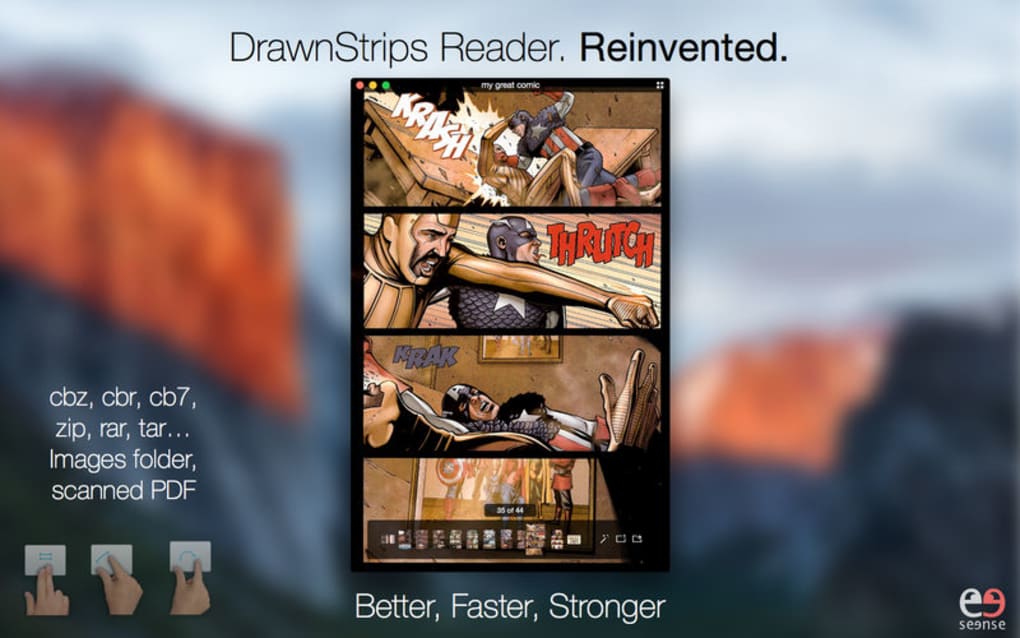
DrawnStrips Reader is a dedicated comic‑book viewer built specifically for Mac users who want a smooth, retina‑ready experience. Designed with Yosemite and El Capitan in mind, the app takes full advantage of macOS graphics acceleration, delivering rapid page turns and buttery‑smooth scrolling even with large, high‑resolution files. The program supports the most common comic containers—including CBZ, CBR, CBT, CB7, as well as raw archive formats such as RAR, ZIP, and TAR—so you can open any collection without conversion hassles.
A handy QuickLook plugin lets you display the first page of a comic as its Finder icon, making it easier to locate the title you’re looking for. Navigation is intuitive: a single press of the spacebar jumps to the next comic in the folder, while native full‑screen mode removes distractions for an immersive reading session. Whether you’re a casual fan or a serious collector, DrawnStrips Reader offers the tools you need to keep your library organized, view pages crisply, and customize the visual experience to match your preferences.
Key Features & Functionalities
- Supports a wide range of comic formats: CBZ, CBR, CBT, CB7, RAR, ZIP, TAR.
- Retina display‑optimized rendering for crisp, high‑resolution panels.
- QuickLook plugin that shows the first page as the file icon in Finder.
- Spacebar navigation to jump instantly to the next comic in a folder.
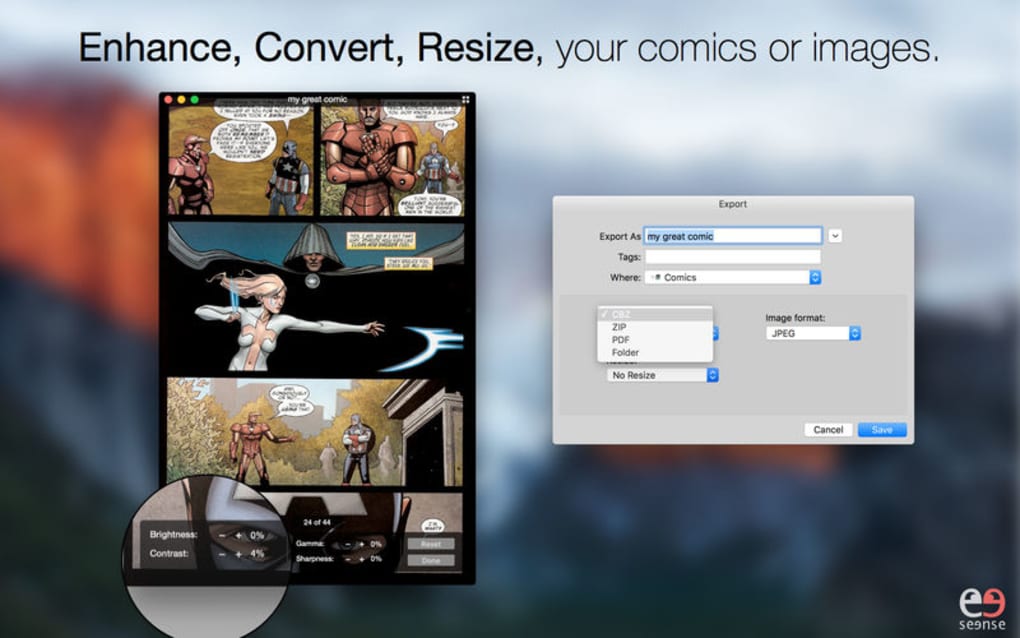
- Built‑in conversion engine: export comics to ZIP, PDF, CBZ, or image folders (PNG, TIFF, JPEG).
- Resize comics or image folders on the fly without losing quality.
- Customizable background colors and page‑turn animations.
- Magic Enhancer: adjust contrast, brightness, sharpness, and gamma per comic.
- Save enhancements permanently to avoid repeat adjustments.
- Manga‑style right‑to‑left reading mode for Japanese comics.
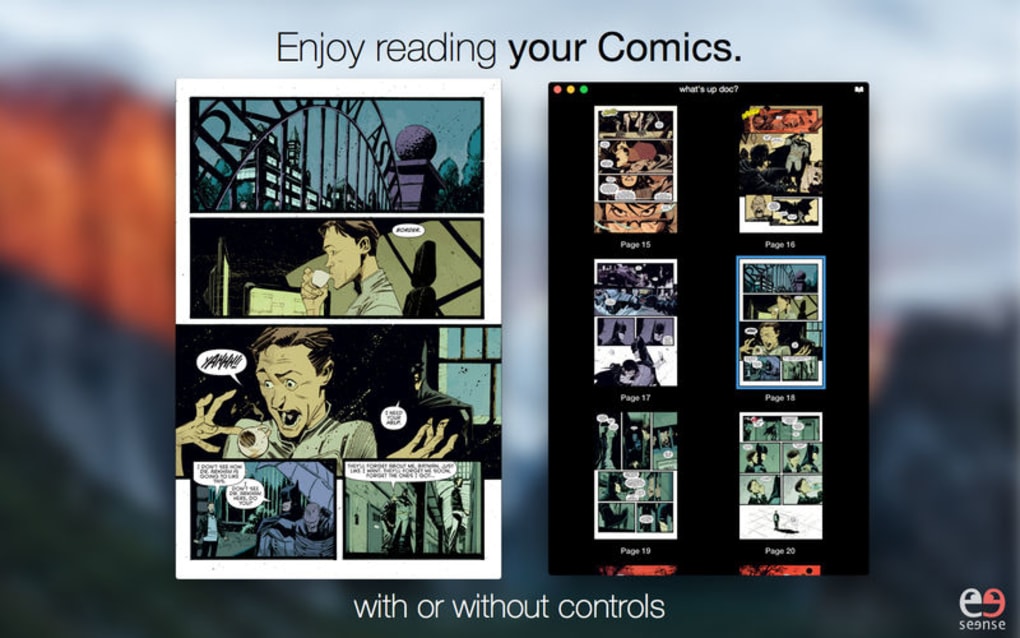
- Native full‑screen mode with auto‑hiding controls for distraction‑free viewing.
- Folder‑preload setting determines how the next comic opens automatically.
Beyond the core reading capabilities, DrawnStrips Reader doubles as a lightweight comic manager. The app’s interface remembers the last page you read, so you can pick up exactly where you left off—even after closing the program. The conversion tools are especially handy for users who want to archive their collection as PDFs for easier sharing or printing. Meanwhile, the Magic Enhancer provides on‑the‑fly image corrections, allowing you to brighten faded panels or sharpen blurry artwork without leaving the app. All these features work together to create a versatile, all‑in‑one solution for comic enthusiasts on macOS.
Installation, Usage & Compatibility
Getting started with DrawnStrips Reader is straightforward. Visit the official website, click the “Download for macOS” button, and the installer package (.dmg) will begin downloading. Once the file is on your system, open it and drag the DrawnStrips icon into your Applications folder. macOS may prompt you to confirm that you want to open an app from an unidentified developer; simply click “Open” to proceed. After installation, you’ll find the app ready in your Launchpad or Applications directory.
When you launch DrawnStrips Reader, the clean, minimalistic interface greets you with a folder‑browser view. Drag any supported comic file or an entire folder onto the window, and the first page loads instantly. Navigation can be performed with the arrow keys, mouse scroll, or the spacebar to jump to the next comic.
For users who prefer a traditional book feel, enable “Manga mode” in the preferences to flip pages right‑to‑left. Full‑screen mode is activated via the green window button or by pressing Ctrl+Cmd+F. All UI elements fade away automatically after a few seconds of inactivity, letting you focus solely on the artwork.
DrawnStrips Reader runs on macOS 10.10 (Yosemite) and later, including macOS Catalina, Big Sur, Monterey, and Ventura. The app is fully optimized for Retina displays, ensuring that panels look sharp on both older MacBook Pros and the newest M1/M2‑based machines. While the primary target is desktop macOS, the underlying file‑format support means you can prepare comics on a Mac and then sync them to iOS devices using iCloud or a third‑party comic reader.
Pros, Cons & Expert Review
Pros
- Free to download and use—no hidden fees or subscription model.
- Broad format support eliminates the need for external converters.
- Retina‑ready rendering delivers crystal‑clear images.
- Powerful conversion and resizing tools built into the app.
- Magic Enhancer saves time by letting you adjust image quality on the fly.
- Intuitive navigation with keyboard shortcuts and spacebar quick‑jump.
- Full‑screen mode with auto‑hiding controls for distraction‑free reading.
Cons
- Limited to macOS; no native Windows, Android, or iOS version.
- Advanced image editing features (e.g., batch processing) are absent.
- Interface, while clean, may feel dated compared to newer, more stylized readers.
- No built‑in library management or metadata tagging beyond folder organization.
Overall, DrawnStrips Reader scores a solid four out of five stars. Its free price point, extensive format compatibility, and retina‑optimized performance make it a top choice for Mac‑based comic fans. While it lacks some advanced library features, the app’s simplicity and speed more than compensate for those omissions.
Frequently Asked Questions
Is DrawnStrips Reader completely free?
Yes, the app can be downloaded and used without any cost. There are no hidden fees or subscription requirements.
Can I convert my comics to PDF with DrawnStrips Reader?
Absolutely. The built‑in conversion tool lets you export any supported comic file to PDF, ZIP, CBZ, or an image folder (PNG, JPEG, TIFF).
Does the app support manga‑style right‑to‑left reading?
Yes. In Preferences you can enable “Manga mode,” which flips the page order to match traditional Japanese comics.
What macOS versions are compatible with DrawnStrips Reader?
The software runs on macOS 10.10 (Yosemite) and newer, including Catalina, Big Sur, Monterey, and Ventura.
Can I customize the background color while reading?
Yes, the Preferences panel includes a background‑color picker, allowing you to choose light, dark, or any custom shade to reduce eye strain.
Conclusion & Call to Action
DrawnStrips Reader stands out as a fast, free, and feature‑rich comic viewer built exclusively for macOS. Its ability to handle every major comic archive format, coupled with retina‑ready rendering and a suite of conversion tools, makes it an essential addition to any Mac‑based comic library. While it doesn’t offer a Windows or mobile version, Mac users will appreciate the seamless integration with Finder, the QuickLook plugin, and the intuitive spacebar navigation. If you’re looking for a secure, lightweight app that lets you enjoy your comics without paying a subscription fee, downloading DrawnStrips Reader today is the logical next step.
Ready to experience your favorite comics the way they were meant to be seen? Download DrawnStrips Reader now and start reading instantly.







